5 Best Excel AI Agents for Audit & Finance Workflows
Excel AI agents are quickly becoming one of the most discussed developments in financial technology.
From formula assistance to autonomous workflow execution, modern Excel AI tools aim to reduce manual effort, improve accuracy, and streamline spreadsheet-heavy processes. For audit and finance teams, the opportunity is significant: automate reconciliations, analyze supporting documents, and accelerate documentation without leaving Excel.
At the same time, not all Excel AI agents are designed for the same purpose. Some focus on general productivity enhancements. Others are built to execute structured, review-ready workflows in regulated environments.
Before evaluating tools, it is important to clarify what an Excel AI agent actually is.
What Is an Excel AI Agent?
In audit and finance contexts, the distinction matters. The value of an Excel AI agent lies not only in automation, but in delivering outputs that are transparent, traceable, and suitable for review.
This comparison reviews five leading Excel AI tools, outlining their capabilities, strengths, and any limitations so you can assess which solution aligns with your operational and compliance requirements.
1. DataSnipper Excel Agents
Category: Verticalized AI Agent Platform for Audit & Finance
Best for: Validation, reconciliation, recalculation, and auditing procedures within Excel
DataSnipper Excel Agents are purpose-built for audit and finance professionals who work extensively in Excel. Instead of acting as a chat-based assistant, Excel Agents interpret a user’s objective and execute structured procedures directly within the workbook and its supporting documentation.
By combining natural language prompts with Excel-native execution, the platform helps teams automate validation, perform recalculations, reconcile data across documents, and produce traceable outputs ready for review.
Key Highlights
- Excel-native execution
Agents operate directly within Excel, allowing teams to automate procedures without moving data into external platforms. - Prompt-driven workflow automation
Users describe the objective in natural language and the agent translates it into structured steps across the workbook and supporting files. - Document-aware analysis
Agents interact with both structured and unstructured data sources, including spreadsheets, PDFs, contracts, invoices, and other supporting documentation. - Template-aware procedures
Agents recognize existing working paper structures and execute tasks within established templates and methodologies. - Evidence-linked outputs
Every result can be traced back to the originating document and location, supporting transparent review and documentation. - Audit-ready documentation
Workpapers and outputs are generated in formats aligned with audit and finance review processes.
Core Capabilities
- Validation of financial statement line items and supporting documentation
- Automated reconciliation across datasets and source documents
- Recalculation of financial figures, rates, and formulas
- Multi-document extraction across structured and unstructured sources
- Exception identification and documentation within workpapers
- Automated support for sample testing and audit procedures
Governance & Compliance
- SOC 2 compliant infrastructure
- EU and US data residency options
- No training of models on customer data
- Full traceability through cell-to-source document references
Pros
- Built specifically for audit and finance workflows
- Works directly inside the Excel environment teams already use
- Supports both structured and unstructured financial documentation
- Promotes efficient review through clear cross-references and traceable outputs
- Scales across large datasets and document populations
Considerations
- Optimized for auditing and financial validation workflows rather than general spreadsheet productivity use cases
- Provides the most value when integrated into established audit methodologies and documentation practices
2. Claude (File-Based or Integration Use)
Category: General-Purpose LLM with File Analysis
Best For: Narrative analysis, reasoning, explanation, drafting

Claude is a powerful large language model known for its long-context reasoning capabilities.
Key Features
- Financial statement narrative analysis
- Formula explanation in plain language
- Structured summary drafting
- Prompt-based Q&A across uploaded files
- Strong contextual reasoning across large documents
Core Capabilities
- Interprets uploaded spreadsheets
- Provides conceptual guidance
- Drafts analysis explanations
- Synthesizes multi-document content
Pros
- Excellent reasoning engine
- Strong at summarization
- Useful for drafting documentation
- Handles large textual datasets well
Considerations for Audit & Finance Teams
- Primarily designed as a general-purpose reasoning model rather than a workflow execution engine inside Excel.
- Interaction typically centers around file uploads and prompt-based analysis rather than persistent workbook automation.
- Outputs require user review, interpretation, and manual documentation within formal audit workpapers.
- Does not position itself specifically as an assurance-grade reconciliation or audit documentation platform.
3. Numerous.ai
Category: GPT-Powered Excel Add-In
Best For: Operational analytics and lightweight automation
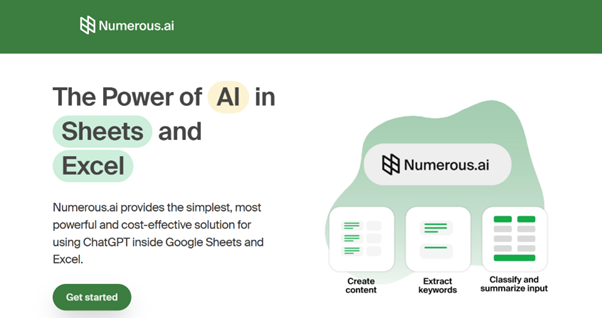
Numerous.ai integrates AI functions directly into spreadsheet cells.
Key Features
- AI formula generation
- Text classification
- Data enrichment
- Prompt-based cell automation
Core Capabilities
- Converts natural language into formulas
- Categorizes data
- Automates simple spreadsheet transformations
Pros
- Easy setup
- Fast for simple tasks
- Useful for marketing and operations teams
Considerations for Audit & Finance Teams
- Focuses on cell-level AI assistance such as formula generation and text transformation.
- Geared toward operational and analytics use cases rather than regulated financial testing.
- Does not advertise built-in reconciliation workflows or evidence-linking functionality.
- Documentation outputs are user-managed rather than automatically structured for review.
4. SheetAI
Category: Chat-Based Excel Add-In
Best For: Ad-hoc AI tasks inside spreadsheets
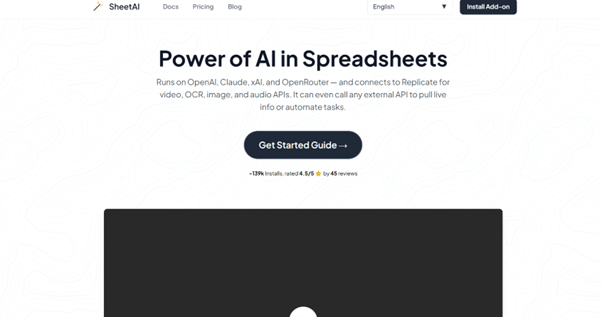
SheetAI embeds GPT-style functionality within Excel.
Key Features
- Text generation
- Formula assistance
- Data transformation
- Sidebar interaction
Core Capabilities
- Prompt-driven cell updates
- Basic spreadsheet automation
- Quick text manipulation
Pros
- Accessible interface
- Simple to deploy
- Helpful for small, isolated tasks
Considerations for Audit & Finance Teams
- Operates primarily as a prompt-driven assistant embedded in Excel.
- Interaction model centers on responding to individual prompts rather than orchestrating multi-step procedures.
- Designed for general spreadsheet productivity rather than structured financial testing.
- Does not position itself as a compliance-focused or audit methodology-aligned solution.
SheetAI can improve efficiency for ad-hoc tasks. Organizations operating under regulatory documentation requirements may look for platforms that explicitly support evidence traceability and procedural consistency.
5. Akkio
Category: AI Data Automation Platform
Best For: Predictive analytics and forecasting
Akkio focuses on no-code AI for forecasting and business analytics.
Key Features
- Predictive modeling
- Automated forecasting
- Data enrichment
- ML-powered insights
Core Capabilities
- Sales and revenue forecasting
- Predictive analysis workflows
- Business intelligence automation
Pros
- Strong predictive analytics
- Intuitive UI
- Useful for commercial teams
Considerations for Audit & Finance Teams
- Focuses on predictive analytics and business forecasting use cases.
- Built around data modeling and machine learning workflows rather than Excel-native audit procedures.
- Not marketed as a reconciliation or audit documentation platform.
- Traceability and assurance-oriented outputs are not its primary value proposition.
Comparison overview: DataSnipper Excel Agents vs Generic Excel AI Tools
Dimension | Generic Excel AI Tools | DataSnipper Excel Agents |
Primary Focus | Productivity & assistance | Audit & finance execution |
Workflow Scope | Single-step or advisory | Multi-step procedural automation |
Document Handling | Limited uploads | Hundreds of documents |
Reconciliation | Manual or formula-based | Agentic reconciliation engine |
Traceability | Minimal | Direct source-document linking |
Output | Suggestions | Audit-ready workpapers |
Compliance | General use | Assurance-grade governance |
How to choose the right excel AI tool
When evaluating Excel AI platforms, consider:
- Do you need AI to assist, or to execute?
- Must outputs be review-ready and evidence-backed?
- Will the tool scale across large populations and documents?
- Does it align with audit or finance methodologies?
- Are compliance and traceability required?
If the goal is drafting or lightweight formula help, general AI plugins can be sufficient.
If the goal is automating structured reconciliation, validation, and documentation in regulated environments, purpose-built agent platforms provide materially different capabilities.
Frequently Asked Questions
What is the difference between an Excel AI assistant and an Excel AI agent?
An assistant answers questions and generates formulas. An agent executes structured workflows and produces documented outputs.
Can AI automate reconciliation in Excel?
Yes. Some platforms can automate matching, recalculation, and exception detection. The level of traceability and compliance varies significantly by solution.
Is there an AI plugin that works directly inside Excel?
Several tools integrate into Excel. Capabilities range from chat-based assistance to full workflow execution engines.
What should audit firms look for in Excel AI?
- Evidence traceability
- Structured reconciliation logic
- Multi-document integration
- Governance controls
- Review-ready documentation
Final takeaway
The Excel AI landscape is expanding quickly. For audit and finance teams, the key distinction is not whether AI is embedded in Excel - but whether it can execute structured, defensible workflows at scale.
That difference determines whether AI is simply helpful - or operationally transformative.

.svg?width=600&quality=70&format=auto&crop=16%3A9)